Linux File System
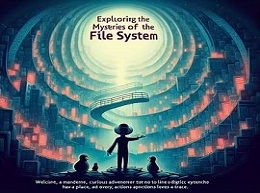
Exploring the Mysteries of the Linux File System
Welcome, curious adventurers, to the enchanting realm of the Linux file system! Imagine a universe where every digital entity has its place, and every action leaves a trace. This is the essence of the Linux file system – a labyrinth of directories, files, and permissions waiting to be discovered.
Unveiling the Structure:
At the heart of the Linux file system lies the root directory, symbolized by the forward slash (/). Like the trunk of a mighty tree, it branches out into various directories, each serving a unique purpose. Let's embark on a journey through some of the most intriguing corners of this digital landscape:
-
/bin and /sbin - The Kingdom of Executables:
- Here dwell the mighty executables, the champions of functionality in the Linux world. From essential system commands (located in /bin) to system administration binaries (housed in /sbin), these directories hold the keys to unleashing the power of your system.
Example:
/bin/ls- Thelscommand, nestled in the /bin directory, reveals the secrets of directories and files within your reach. -
/home - The Abode of Users:
- Within the /home directory reside the personal realms of users, each with its own unique domain. Here, users can store their treasures, craft their scripts, and shape their digital identities.
Example:
/home/username/Documents- A sanctuary within the user's domain, where cherished documents find solace. -
/etc - The Repository of Configuration:
- Behold the archive of system configuration files, where the rules of engagement are inscribed. From network settings to software configurations, the /etc directory holds the blueprints of your system's architecture.
Example:
/etc/hosts- A parchment of connectivity, mapping domain names to IP addresses and guiding the way for digital pilgrims.
Navigating the Terrain:
Now that we've glimpsed into the domains of the Linux file system, it's time to master the art of navigation. The command-line interface serves as our compass, guiding us through this intricate maze:
-
cd (Change Directory): This command allows us to traverse the labyrinth of directories, moving from one location to another with finesse.
- Example:
cd /home/username/Documents- Embark on a journey to the Documents directory within your user's domain.
- Example:
-
ls (List): With this command, we unveil the contents of our current location, revealing the treasures hidden within.
- Example:
ls -l /etc- Unveil the secrets of the /etc directory, adorned with detailed descriptions and permissions.
- Example:
Guardians of Permissions:
As we delve deeper into the Linux file system, we encounter the guardians of permissions, the sentinels tasked with safeguarding the sanctity of our digital treasures. Each file and directory is adorned with permissions, dictating who can access, modify, or execute them.
- chmod (Change Mode): This command empowers us to bestow or revoke permissions upon files and directories, shaping their destiny.
- Example:
chmod 700 secret.txt- Grant exclusive access to the file secret.txt, allowing only its creator to peer into its mysteries.
- Example:
Our expedition through the Linux file system has unveiled its beauty and complexity, offering a glimpse into the digital cosmos that powers our systems. As you continue your journey, remember to tread carefully, respect the permissions bestowed upon each entity, and embrace the wonder of exploration. The Linux file system awaits, ready to reveal its secrets to those who dare to venture forth.
Related Posts

Cybersecurity
Biological Cybersecurity: Protecting the Digital DNA

Cybersecurity
Linux File System

Cybersecurity
Introduction to Cyber Threat Intelligence




Cybersecurity
Cybersecurity Best Practices for Remote Work

Cybersecurity
Kali Linux Tools for Ethical Hacking


Cybersecurity
Incident Handling in Cybersecurity: A Practical Guide
Cybersecurity
What is ethical hacking ?


Cybersecurity
Secure Coding Practices: Writing Resilient Software